This website
I got tired of portfolios that looked like portfolios.
The portfolio is part of the portfolio.
I needed a place to show the range of the work. I also needed the site itself to be a piece of the work.
The challenge
I needed a portfolio that could show the range of my work without becoming another generic website full of skill lists and buzzwords.
Every early version started looking like a portfolio. A list of services. A row of logos. A paragraph that said “results-driven” and then stopped doing any work.
The idea
Instead of telling people I understand branding, copywriting, UX, web development, and strategy, I wanted the website itself to demonstrate those skills.
The voice is part of that. Hiring managers skim. Curious people linger. The writing had to work for both without sounding like a template.
TypicalWelcome to my portfolio. I am a results-driven marketing and communications professional.
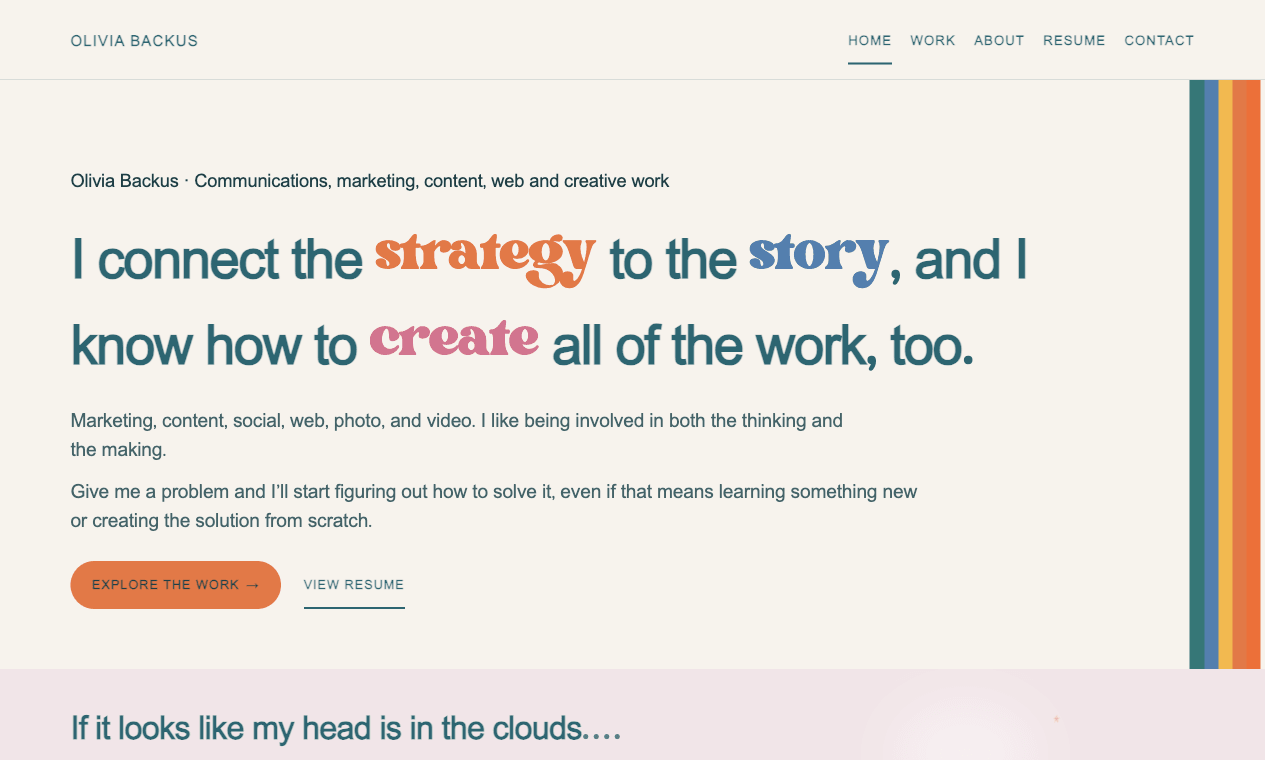
HereI connect the strategy to the story, and I know how to create all of the work, too.
TypicalFrequently asked questions
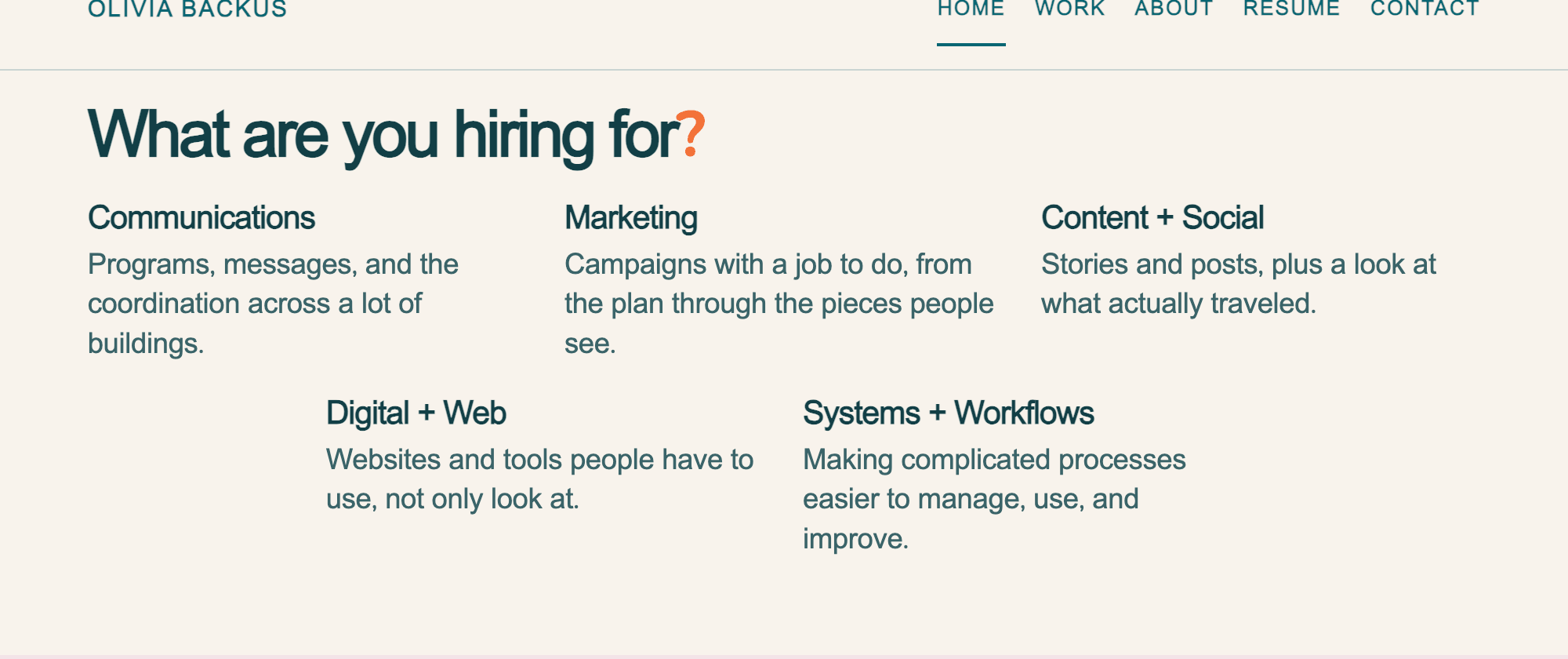
HereWhat are you hiring for?
TypicalThank you for visiting.
HereYou made it to the footer. This feels serious now.
Three problems I kept running into
These are design decisions. I am not attaching traffic, a user study, or a test I did not run.
Helping people find what they're looking for
Someone hiring for a communications role probably isn't looking for the same examples as someone hiring for web, content, or operations.
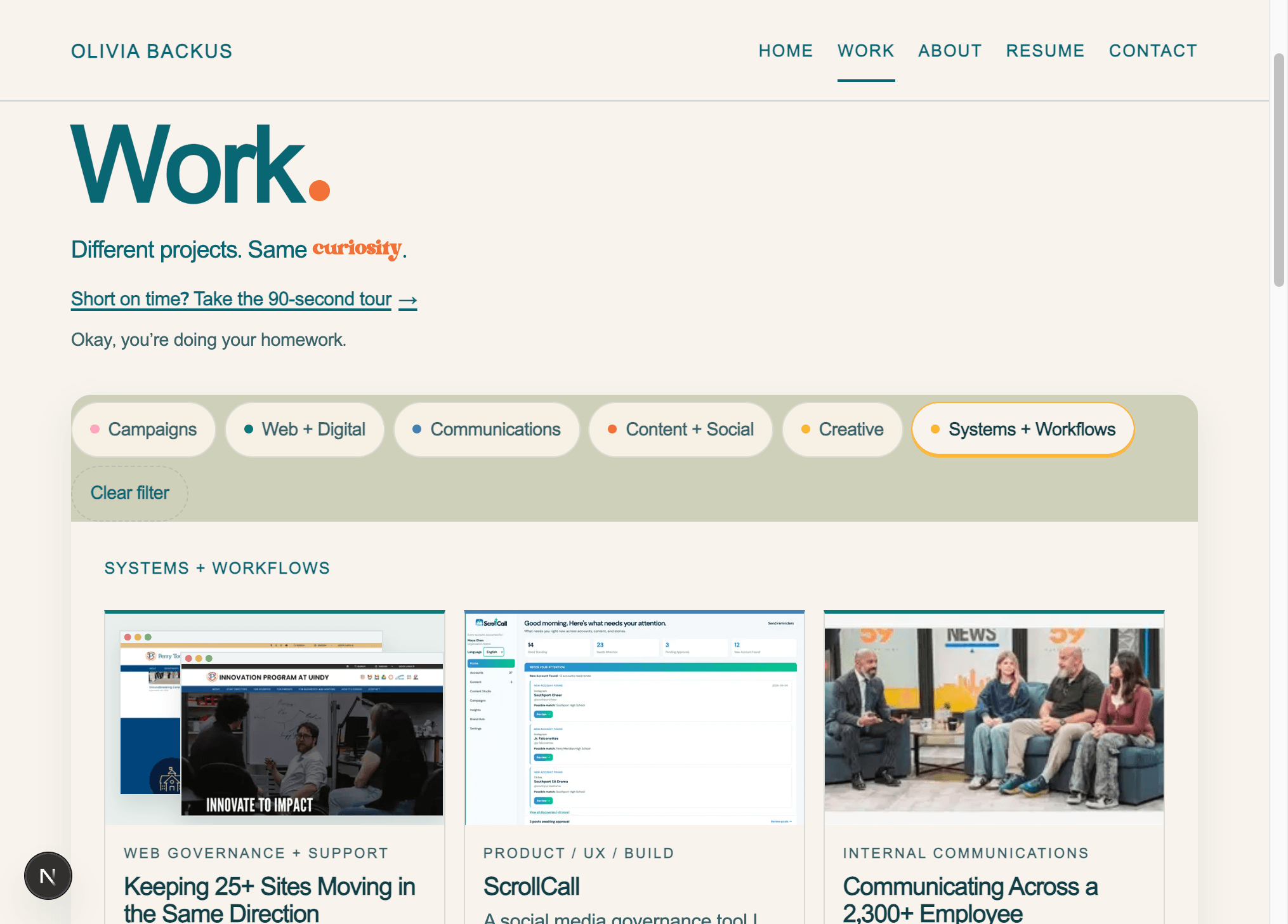
Originally, my Work page had two options: “Featured” and “All Work.”
“Featured” showed a handful of projects I'd highlighted, while “All Work” showed everything I'd included in the portfolio.
But that didn't really make sense. I'd already handpicked every project on the website. Why was I making some of them seem more important than others? And “All Work” made it sound like these were the only things I'd ever done.
So I got rid of both.
Now the Work page starts as the category list: Campaigns, Web + Digital, Communications, Content + Social, Creative, and Systems + Workflows. Opening one shows that group's projects underneath it. Opening another closes the first.
Filter is the other way through. Several categories can stay open at the same time, each with its own heading and cards, so someone can browse them together. Clear filter closes them. A homepage shortcut still opens one category.
I added shortcuts on the homepage, too. Someone hiring for a specific type of role can choose what they're interested in and go straight to relevant examples.
The idea is pretty simple: Make it easier for people to find what matters to them without making them dig through everything else.
Making complicated information easier to understand
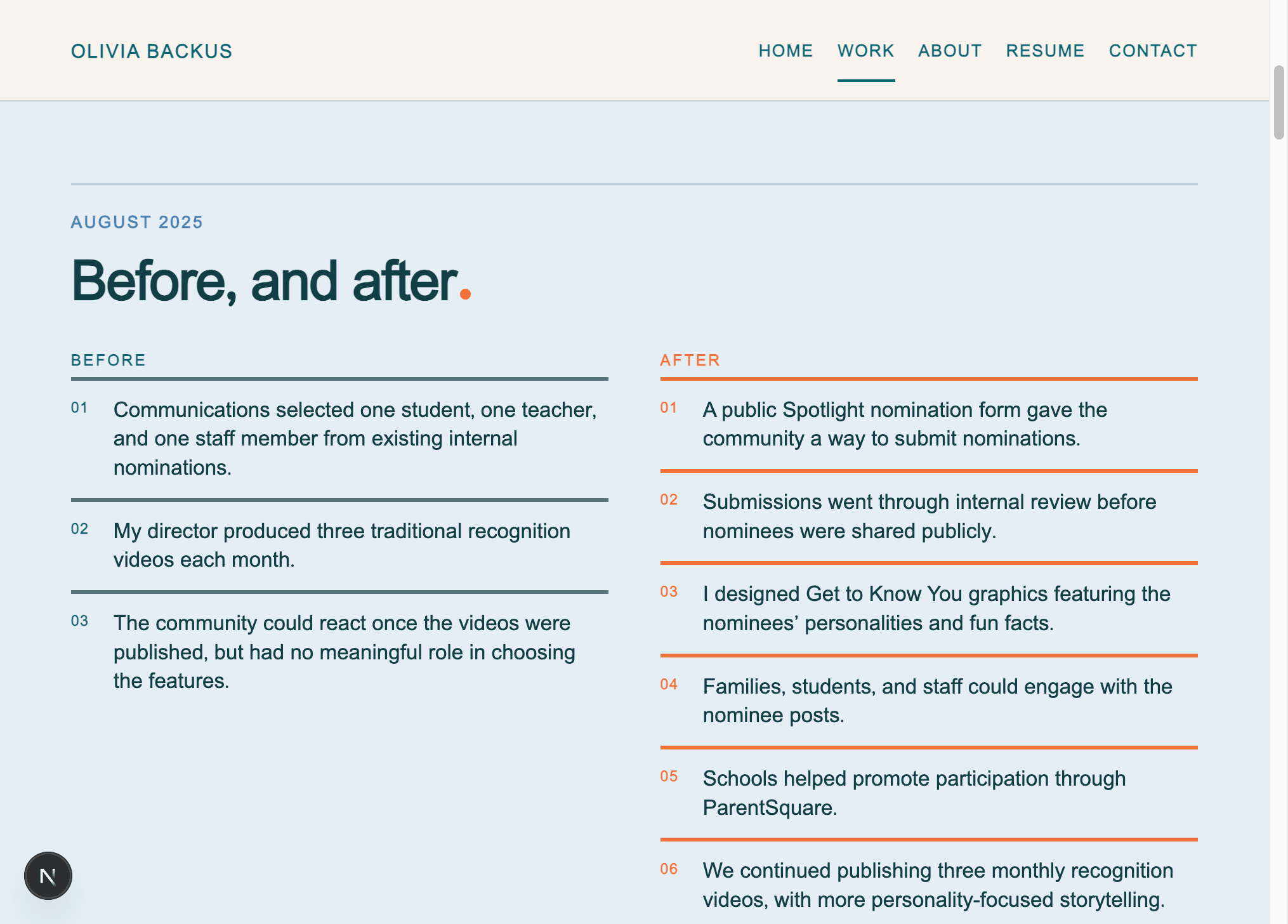
Some of the longer case studies explained what I added and still made a reader work to see what changed. A page can be accurate and still be hard to follow, especially if you have never worked in a school district.
I have been rebuilding those pages so the problem, the change, the real work, and the result show up in that order. Facebook Strategy leads with the comparison across two equal stretches of time. Spotlight leads with the original program beside the redesigned one, then the nomination form, the Get to Know You graphics, and the screenshot sample.
The caveats stay next to the numbers. A bigger total is not the same thing as a cleaner process, and I do not treat a sample as proof that one change caused the result.
Knowing when to simplify
I wanted the site to feel like me, so I built playful details on purpose. A visit trail. A receipts drawer. A way to claim credit for finishing a page. A recap at /you of the pages opened in this browser, written like a little reading of where the curiosity went.
Then I promoted them. Your Trail and Wanna see the receipts sat like tabs above the footer. The About page ended with several different things asking for a click. The jokes were still good. The placement made them feel like ads for themselves.
I used the site and noticed that. I did not run a formal user test. The same prompt, Looking for something specific?, was also showing up under page after page, with the same three links. I took that block out. The homepage now ends with a way to say hello. The Work page ends with email, LinkedIn, and one note from a colleague. A case study ends with the next project, and a short reason to open it.
The full reading lives at /you. The pages opened in this browser show up there as a little path, in the order they were found, separate from the note about what caught someone's attention. A footer link points there after a few pages have been opened. The numbers on the homepage link to the work they come from, so I stopped putting a second receipts button under them. Claim your credit still lives on the main pages. Finding all five can open a short finish you choose to roll in that browser. I am not going to describe it here. A name typed into it stays on that device and is not sent to me.
The contact page keeps the form first, then one short note. A small hello still appears after someone opens several projects. It can be dismissed.
Finding my style
I wanted this website to feel colorful, creative, and a little retro without making it difficult to read or navigate.
I started with a warm, paper-colored background and used deep peacock teal for most of the text. Then I brought in orange, pink, and mustard yellow to give certain words and sections a little more personality.
I chose Work Sans for the main text because it's clean and easy to read, while Bright Retro adds some character to the headlines.
And the rainbow? I liked it as a way to transition between sections without putting decorations absolutely everywhere.
I wanted the design to have personality, but I also knew when to let the content speak for itself.
Actually building it
I designed it, wrote it, and built it in the browser. The stack is ordinary on purpose, so the interesting part is the decisions, not a pile of tools.
Next.js and React
Next.js 16 with the App Router, and React 19. Pages, case studies, and the work index are part of the site, not a slide deck uploaded somewhere else.
TypeScript
The project content, routes, and components are typed. The Work categories and the homepage hiring links read the same category list.
Custom CSS
No component library. The color and type live in one stylesheet.
Cursor
I use Cursor for the daily build-and-revise loop: writing the pages, checking them in the browser, and changing what does not hold up.
Vercel
The site is hosted on Vercel. Vercel Analytics is on. I also keep a private log of aggregate events: pages, project opens, work filters, hiring lanes, résumé downloads, contact clicks, messages that send, and whether the optional credits get used. The log does not store message text, email addresses, or a name typed into a surprise. This page does not publish those numbers.
Accessibility
These are practices in the build. This is not a formal WCAG audit, and I am not claiming a conformance level from a checklist.
- A skip link moves focus to the main content.
- Links, buttons, and controls use a visible focus style.
- Pages use landmarks: main, primary navigation, and a footer navigation.
- Photographs and interface screenshots that carry meaning have alt text.
- prefers-reduced-motion turns off the motion that would otherwise play, including card hover shifts.
- Navigation and primary controls use at least a 44 pixel target.
- Work cards are links, so the whole card is clickable and keyboard reachable.
The result
What exists is a functioning custom portfolio: case studies, a filterable work directory, homepage lanes into those filters, and a résumé, designed and built as one site.
I am not attaching traffic, conversions, or a research study to this page. If I publish numbers later, they will be numbers I can point to.
What I’d keep improving
I still change it after I use it. A photo on a card. A sentence that started sounding like a brochure. A case study that explains the work and still makes someone hunt for the point.
The About page is more conversational now, with the family photo doing part of the talking. I expect to keep revising that writing the same way I revise the case studies.